
Note: Uptrends is introducing a new navigation menu and Monitor Editor UI. Your interface may look different from the documentation as we reflect these changes. The documentation accurately explains how the features work, even if your interface looks different.
We want to be transparent about the usage of message credits in your account. To monitor the usage of your message credits, we offer a dashboard that allows you to review your daily and monthly message credit usage (in total and per operator).
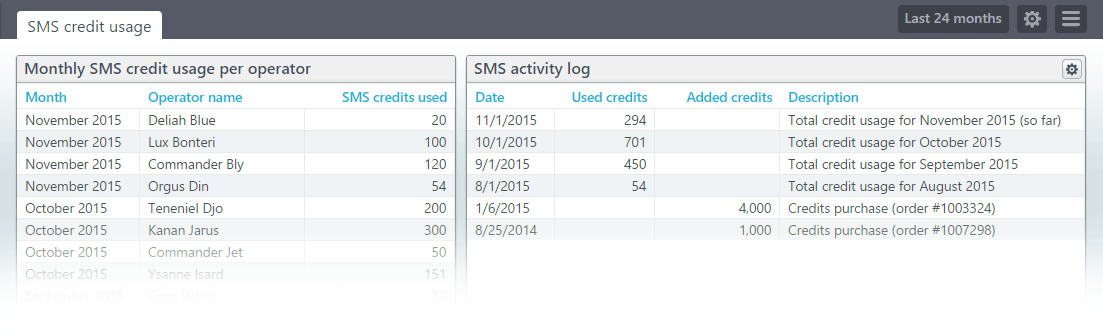
Where can I find my Message credit usage overview?
- Log into the application.
- Go to and select underneath in the menu.
- On the Subscription you can see the remaining message credits.
- Select the link . This leads you right to the message credit usage dashboard!
Or, hit this link directly: https://app.uptrends.com/Report/SmsUsage.
How will you notify me if I start to run out of message credits?
We will send (free) warning messages via SMS and e-mail to all administrators in your account. This happens when you are down to 25 remaining credits.