
In Uptrends, a user with access to an account is called an operator. Each operator can modify their own user settings, such as login, contact, and time zone information.
Account administrators and operators with administrator rights can also configure settings for other operators.
The main settings on this page affect only your individual operator profile. This is different from changing the settings for the entire Uptrends account. If you need to adjust settings that apply to all users, see the General account settings article.
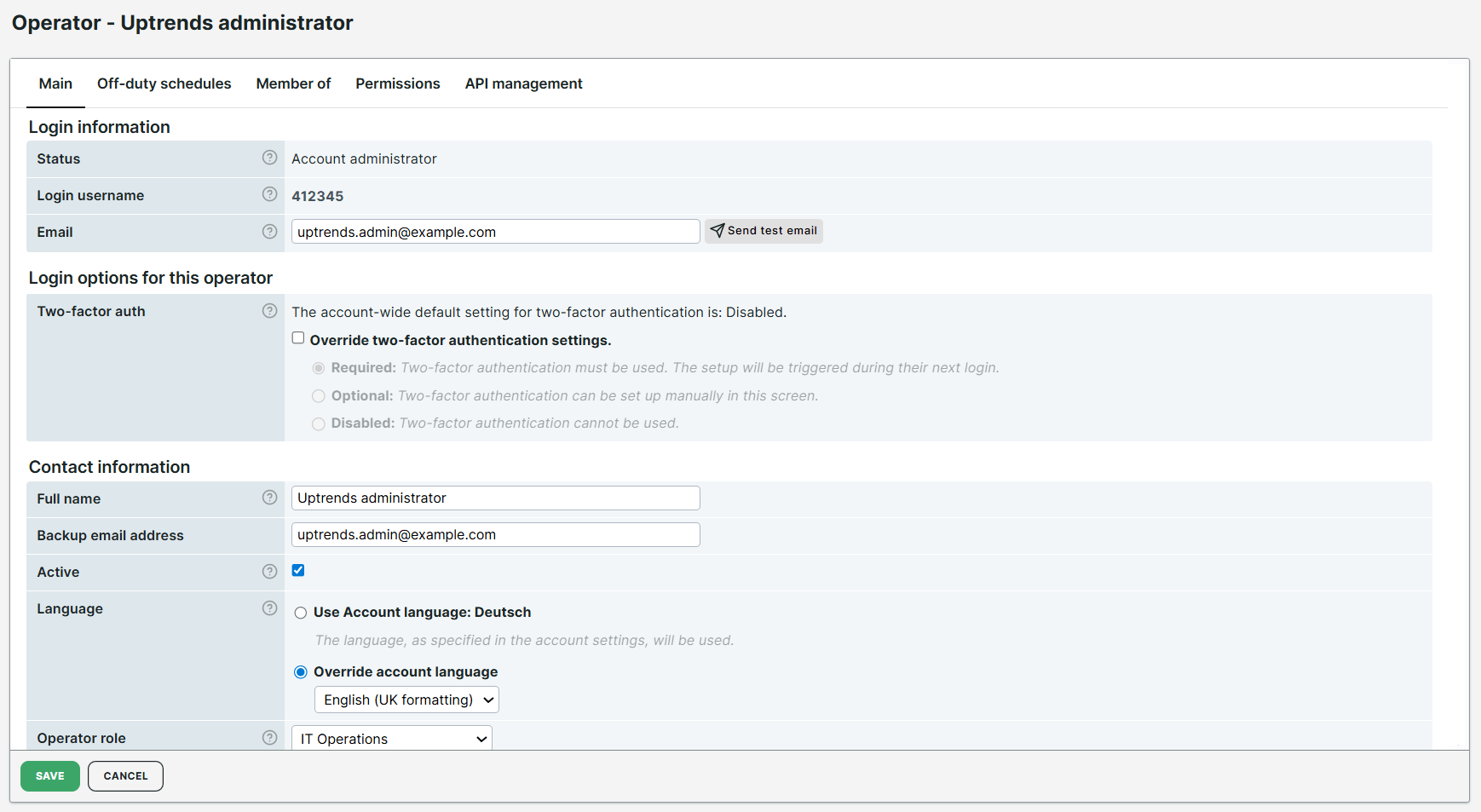
The following sections describe the settings you can configure for an operator.
Login information
View and manage general account information such as login username (account ID) and email address.
Login options for this operator
Enable and set up two-factor authentication for your account. For more information, see the Set up two-factor authentication article.
Contact information
View and update contact information such as full name, backup email address, and language setting.
Additional settings:
-
Active — when disabled, the operator stops receiving alerts but can still log in. This has the same effect as adding an off-duty schedule for the operator.
-
Language — the default language is configured during account setup and applies to all operators. You can select your preferred language from the dropdown menu.
-
Operator role — indicates the operator’s role within the company, for internal reference. The User for alert routing role indicates the operator is responsible to receive, parse, and process alerting emails.
Newsletter subscription settings
Configure which types of email notifications you receive:
- Feature updates — receive messages about newly released and updated features.
- Checkpoint updates — receive updates about new and removed checkpoints, and changes to IP addresses.
By default, operators receive feature update emails. Checkpoint updates are sent only to account administrators and operators marked as a technical contact in their operator permissions.
Default dashboard
All operators use the default dashboard set by the administrator during account creation.
You can override this by selecting a different dashboard based on your preference. The selected dashboard appears when you log in to Uptrends or click the Getting started menu or the ITRS logo.
To learn more about dashboards, see the Dashboards and public status pages article.
Time zone settings
All operators use the default time zone set by the administrator during account creation. If you have an Enterprise account, you can assign an additional time zone to individual operators. This is useful for operators who work in a different time zone than the account default.
Once configured, the operator sees additional timestamp information. In each monitor check detail page, timestamps are displayed for both the default and additional time zones.
On the Monitor log, hovering over a log entry also shows the time in the additional time zone.
Phone settings
The mobile phone number provided during account setup is used here. Additional settings are:
- SMS provider — select the provider used to send SMS alert notifications. For more details, see the List of SMS supported countries and providers.
- Phone provider — select the provider used for phone call alert notifications. For more details, see the Set up phone alerts article.