ITRS named a Visionary in the 2025 Gartner® Magic Quadrant™ for Digital Experience Monitoring.

What’s new

See the latest features and product updates in Uptrends
View the API changelog and reported issues in the Incident log.

Submit a feature request

UPDATE

JAN 2024

#Operator newsletter preferences

Operators can now specify which Uptrends newsletters they would like to receive. We have added a new section Newsletter subscription in the Main tab in the Operator settings.

You can choose if you want to receive Feature updates or Checkpoint updates, or both, by selecting Subscribe. If you opted in or out of these Uptrends newsletters earlier, this new functionality will not affect your current subscription settings.

UPDATE

JAN 2024

#Automatic Content-Type header in Multi-step API monitors

Our Multi-step API monitor type allows users to interact with their critical APIs directly. For some monitoring use-cases, data must be sent to the API, for example when executing POST requests to create a new object, or a PUT/PATCH request to update an existing object. In such cases, it is important to include a Content-Type header to inform the receiving API of the type of data that is coming in (JSON, XML, form data, etc.) so that it knows how to parse the request. An API will commonly return errors if it receives a request body without a Content-Type header.

Up until now, such headers had to be added to the Multi-step API monitor step(s) manually. As of this update, we are automatically detecting the content type, and adding the correct Content-Type header, for JSON, XML, or form data request bodies. This change will help users configure POST, PUT, and PATCH requests in their Multi-step API monitors.

UPDATE

JAN 2024

#Clearing errors in bulk improved

If you are confronted with errors that you regard to be incorrect, we offer the option to clear errors and recalculate the SLA (service level agreement) data for you.

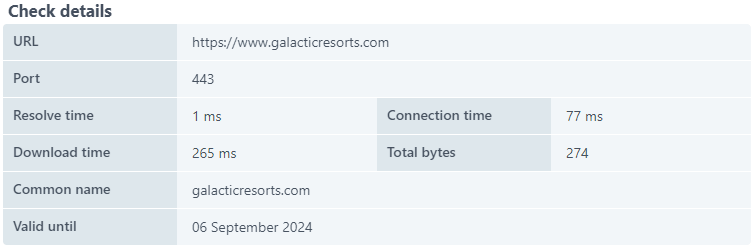
Until now you had to create a (standard) Support ticket to request the error clearance and include the required information in writing. We’ve made that easier by adding a button Clear multiple errors to the bottom of the monitor Check details dialog.

Clicking the button will open a ticket specific to error clearance. In the ticket, you have to include the mandatory data to ensure that Support receives the info necessary to process your request. The mandatory information includes the monitor (groups) that are affected and the date range. Optionally you may fill in the checkpoints and status code.

By using the Uptrends website, you consent to the use of cookies in accordance with our Cookie Policy.